Planning Weeks Ahead
Your trip is coming up. Use the web planner on desktop to organise everything before you arrive.
Before You Start
- ParQwish Planner (PWA) open on your desktop or tablet
- Your trip dates and any confirmed dining reservations
Steps (8)
Create your trip — give it a name and set the start and end dates.
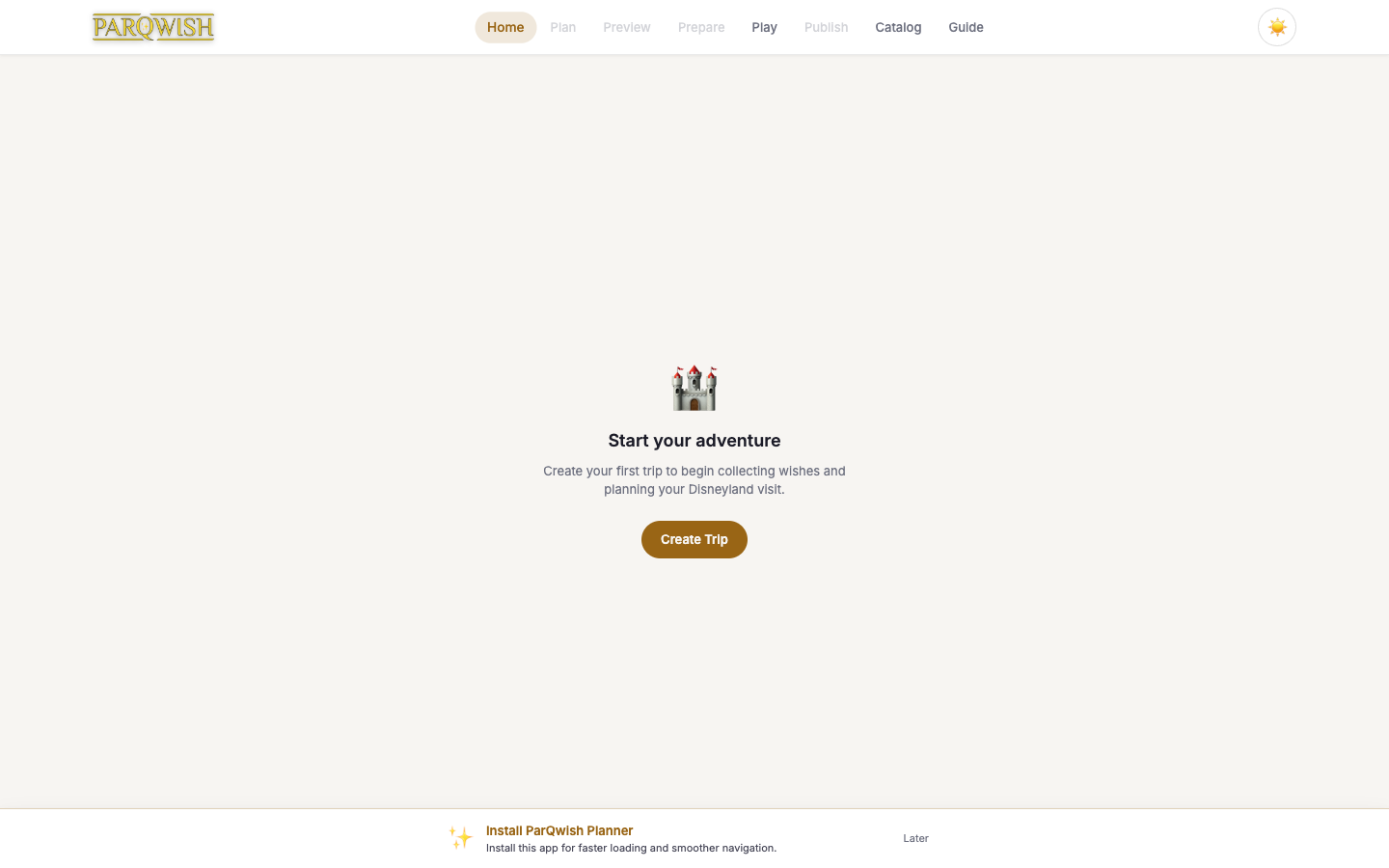
Click 'New Trip' on the home screen. If you've been before, consider starting from a template — saved templates carry over your standard packing list and any recurring wishes.
Add travel details: flights, hotel, and transportation.
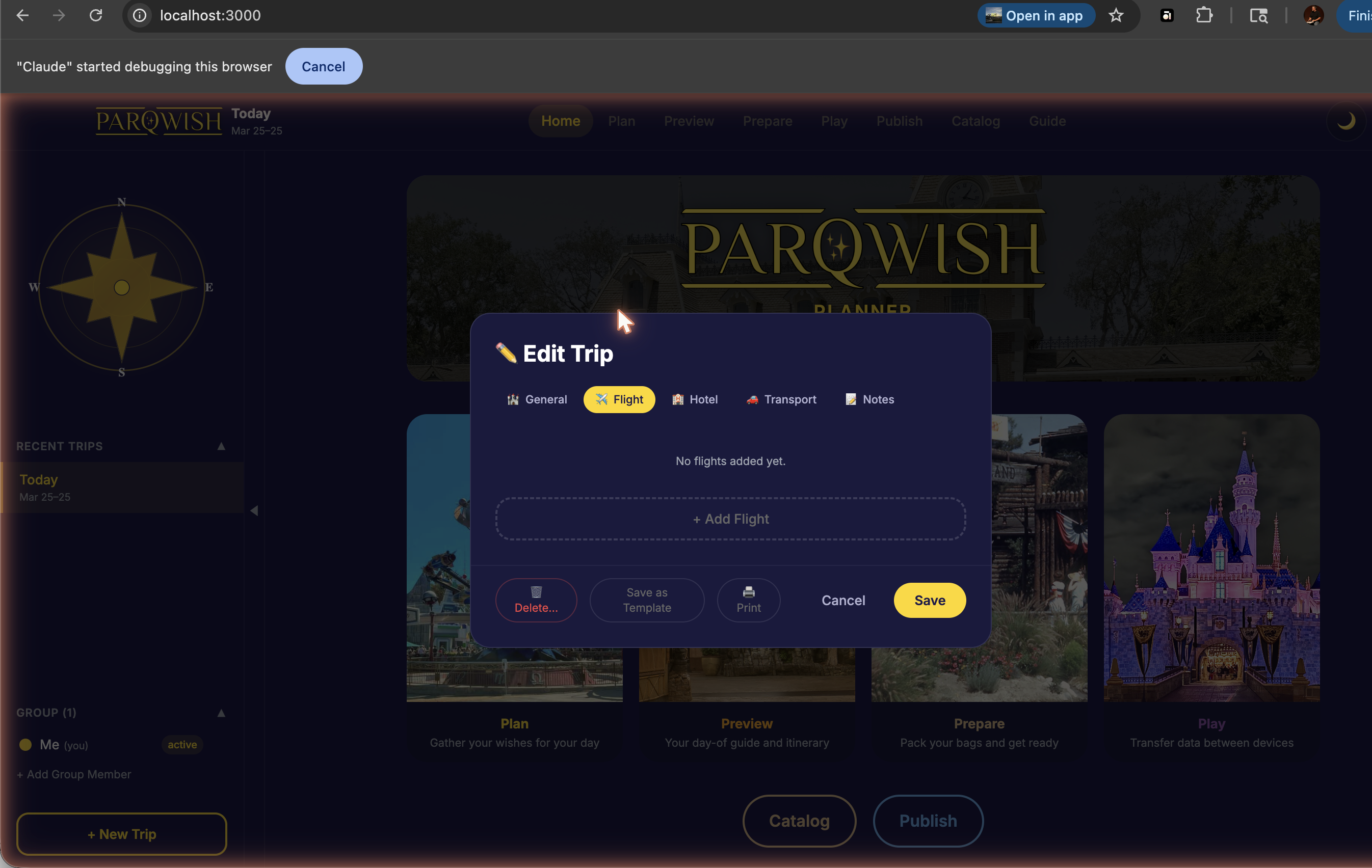
Open the trip editor (pencil icon) and fill in the Flight, Hotel, and Transport tabs. These are for your reference — confirmation numbers, check-in times, shuttle details — all in one place.
Browse the ride, dining, and show catalog and add everything you want to do as a wish.
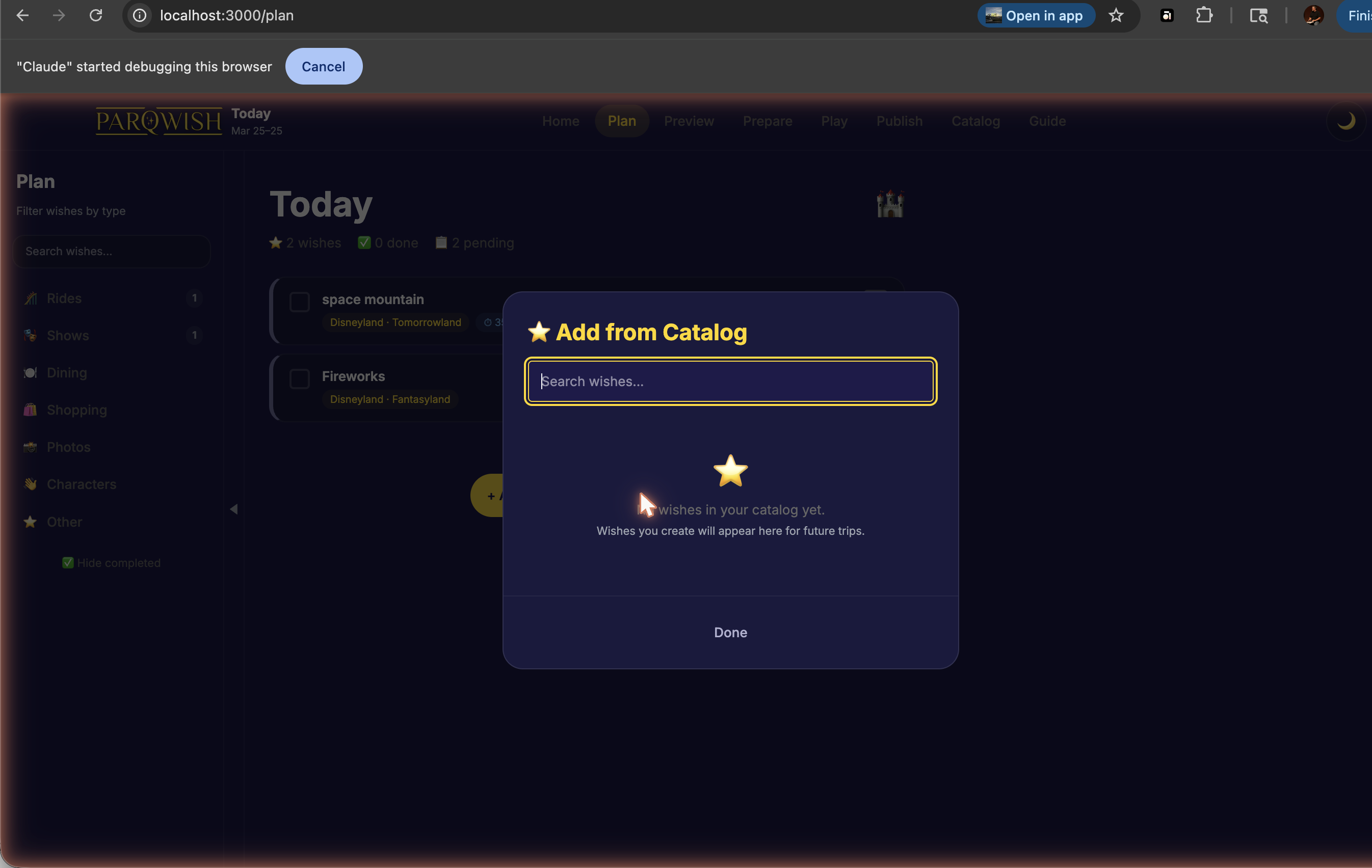
Use the search bar to find specific attractions or browse by land. Each wish gets a priority (Must Do / Want To / Nice If) and an optional max wait time for rides. Don't worry about order yet — you'll schedule on the Preview timeline.
Set a max wait time for each ride in your Must Do and Want To lists.
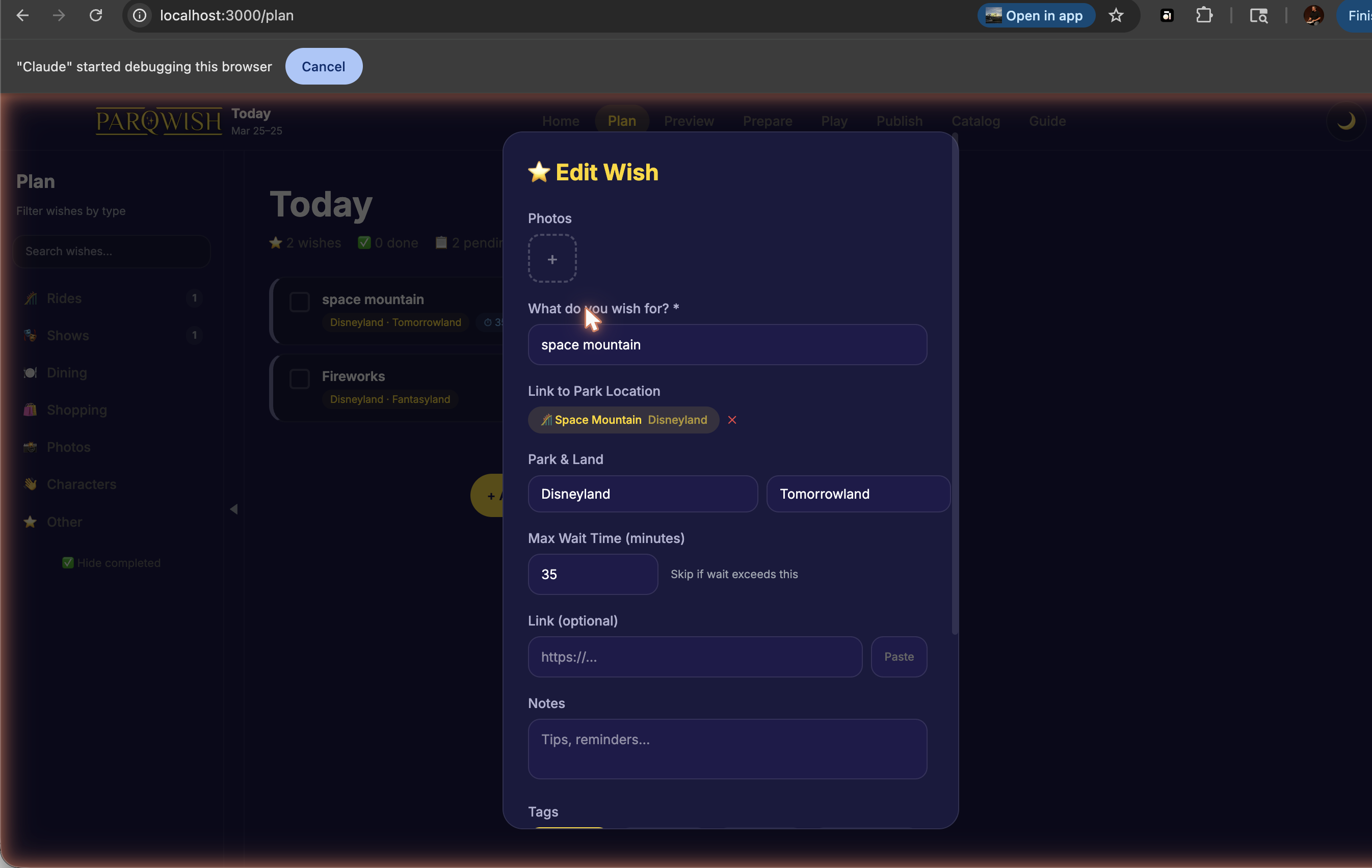
This is used on the mobile app's Home screen to show a 'Ready Now' list of rides currently under your threshold. It stops you wasting time waiting when there's a better moment later in the day.
Build your packing list — select from the default categories or add your own items.
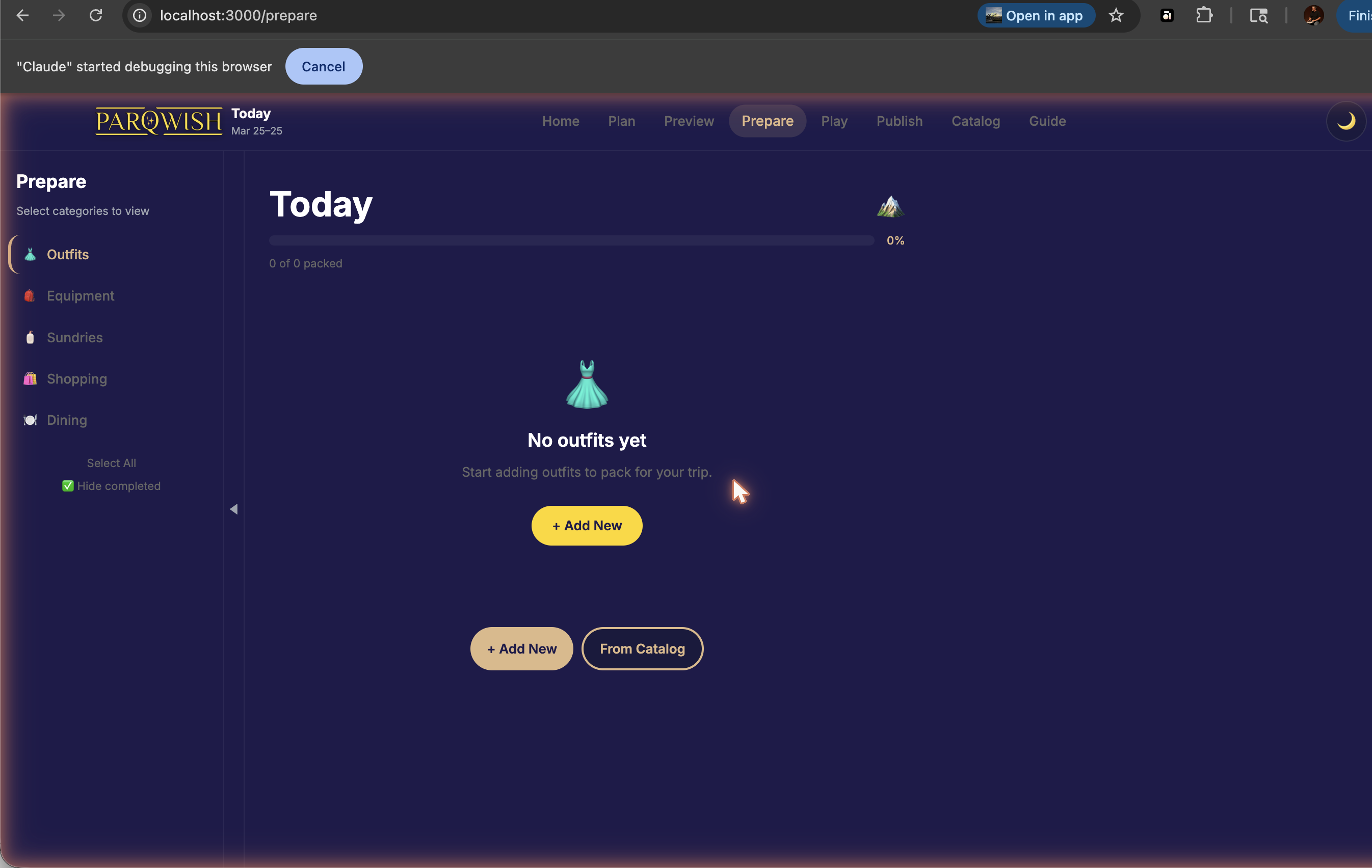
Categories include clothing, toiletries, park bag essentials, and electronics. Add custom items for anything specific to your trip (e.g. 'autograph book', 'kids' ear protectors').
Lay out each day on the timeline. Start with fixed commitments (dining reservations, shows with set times), then fill in rides around them.
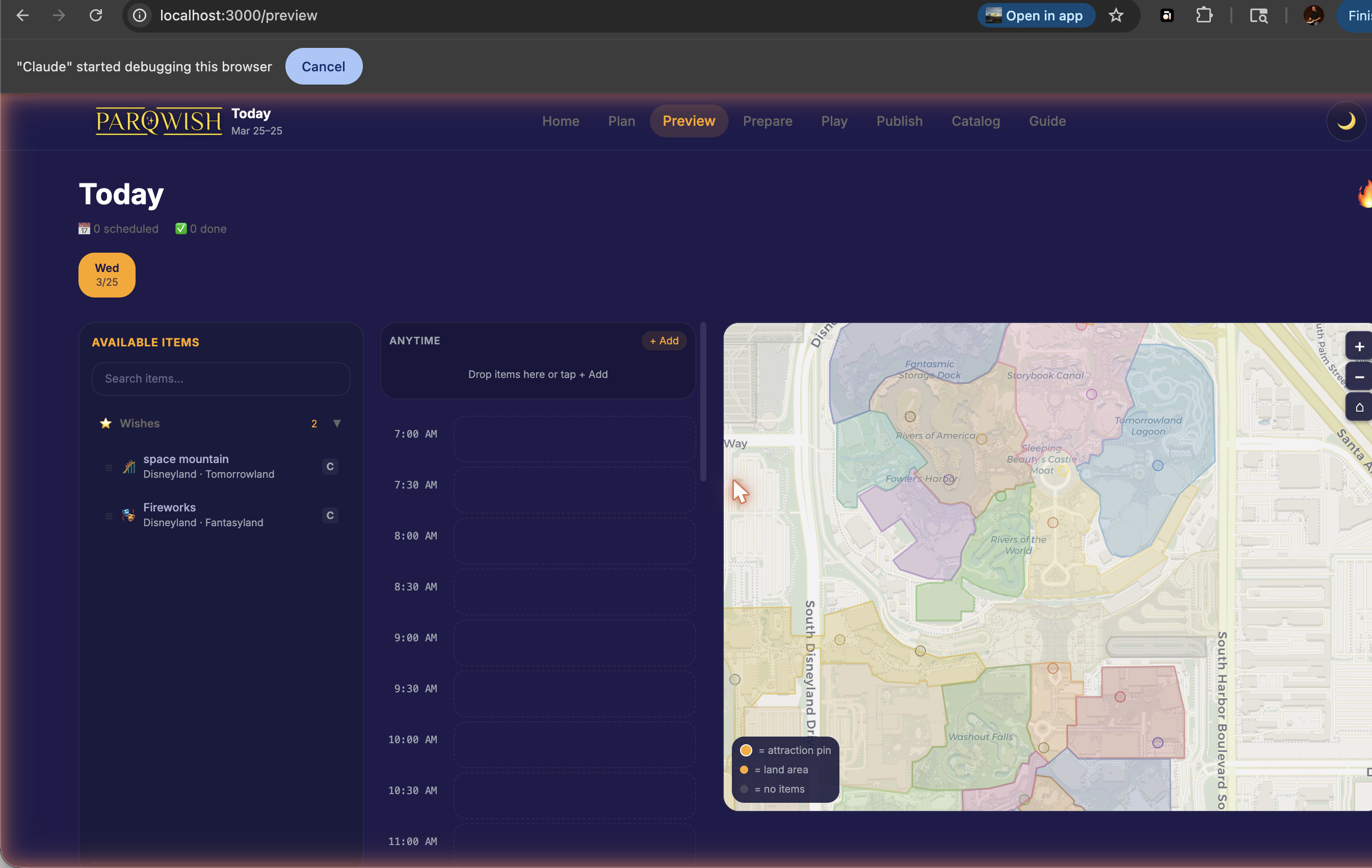
Select a date using the date picker bar. Drag items from the pool on the left onto the timeline. The park map on the right shows where each item is located so you can group nearby attractions.
Use the park map to check that your day's route makes geographic sense.
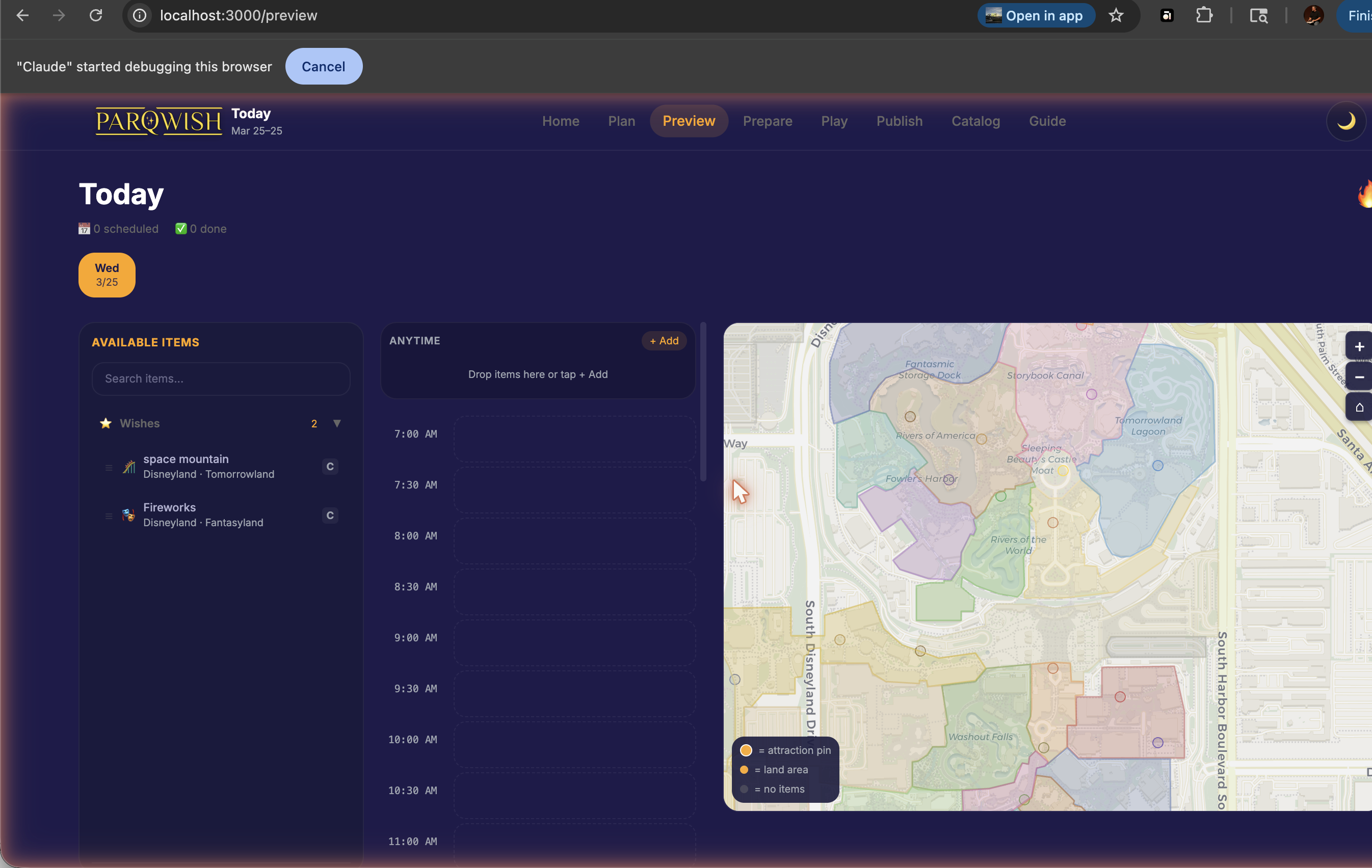
Each item on the timeline is plotted as a pin on the map. If you see a lot of back-and-forth between opposite ends of the park, rearrange items on the timeline to reduce walking.
Export your plan when you're ready to load it onto your phone.
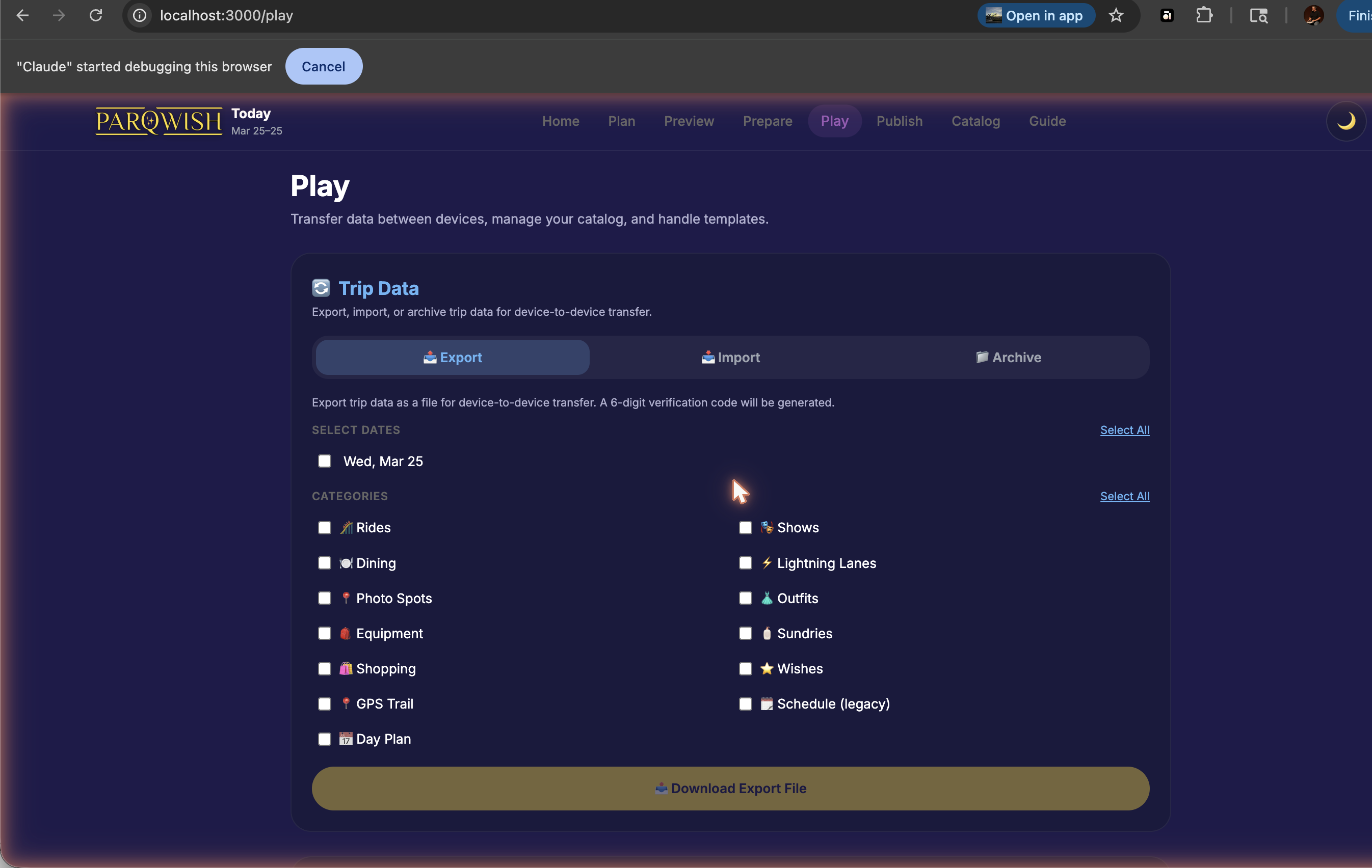
You can re-export as many times as you like as your plan evolves — each import on the phone uses Merge mode to apply only the changes.
A fully built trip plan — wish list prioritised, packing list ready, day-by-day timeline built — ready to load onto your phone the morning of your visit.