Single Person, Single Day
You're going solo, you have a plan, you want to track it in real time.
Before You Start
- ParQwish Planner (PWA) open on your desktop or tablet
- ParQwish Pal (mobile app) installed on your phone
- A trip created in the PWA covering today's date
Steps (10)
Add everything you want to do — rides, dining reservations, shows, and wishes — to your Plan.
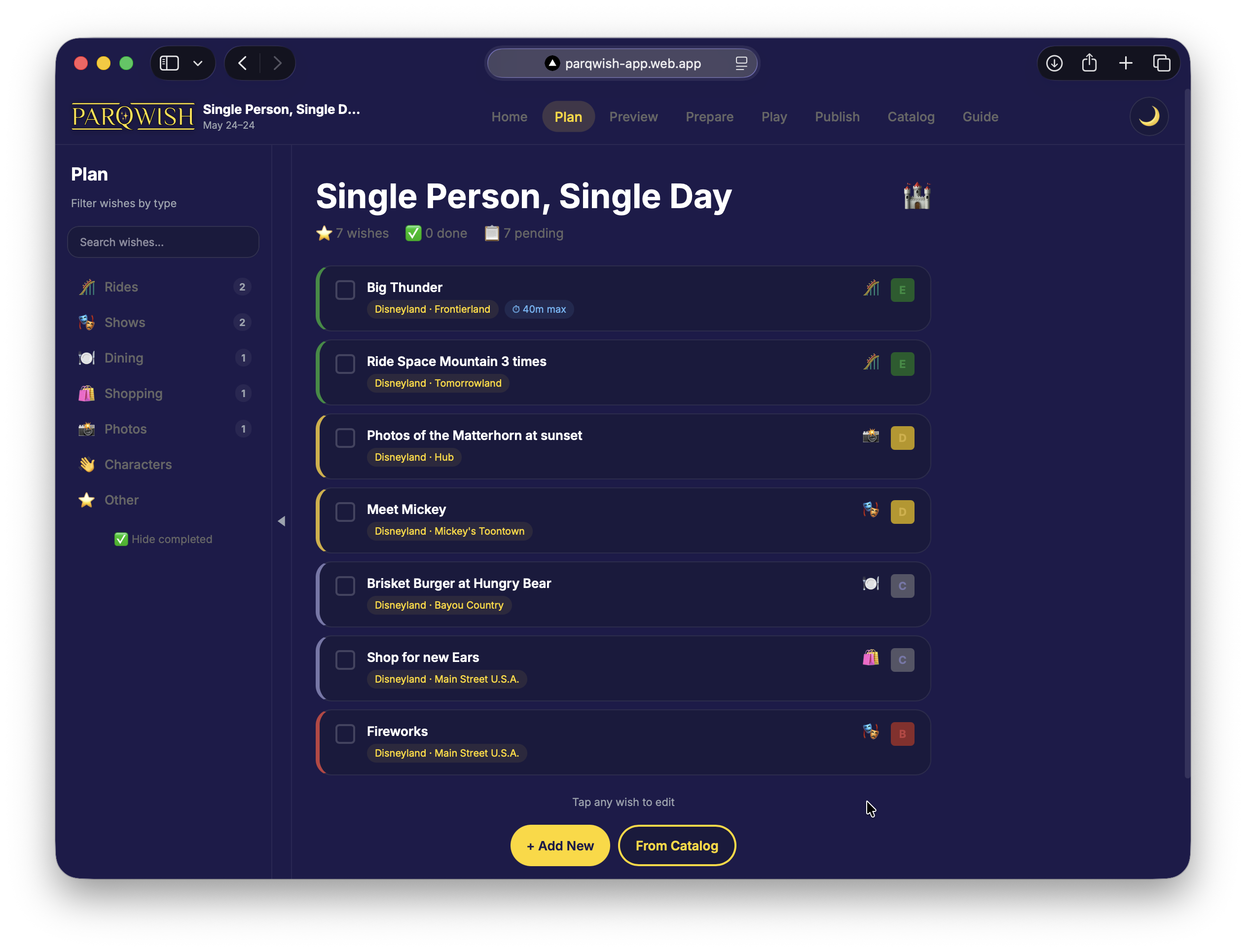
Click '+Add New' to create a new Wish or click Catalog to find previously selected Wishes and tap the star to add them. Set a priority (A thru E, just like the OG tickets) and a max wait time for each ride so you know when to skip.
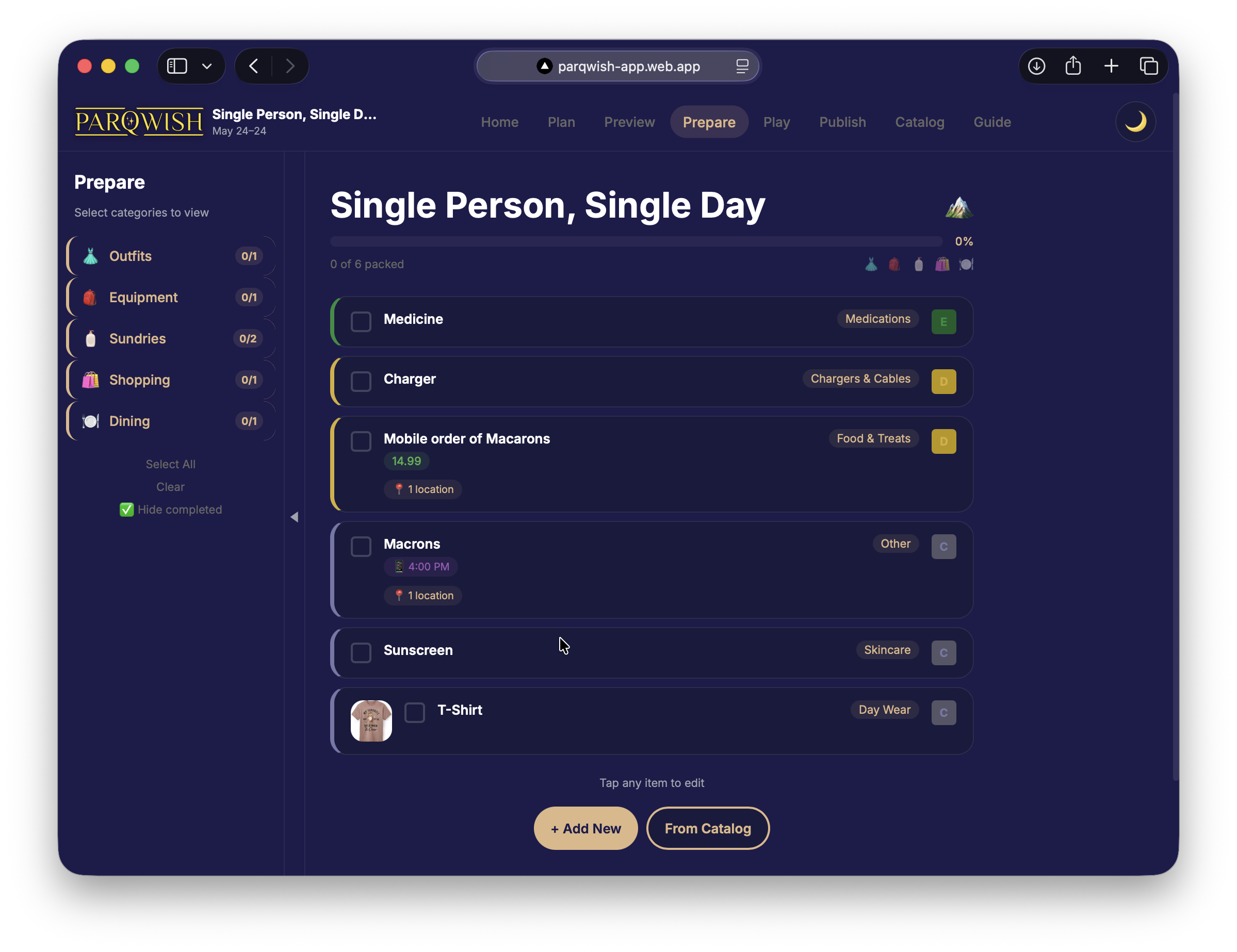
Run through your packing checklist and mark off everything you're bringing.
Drag your wishes onto the day timeline to set a rough schedule.
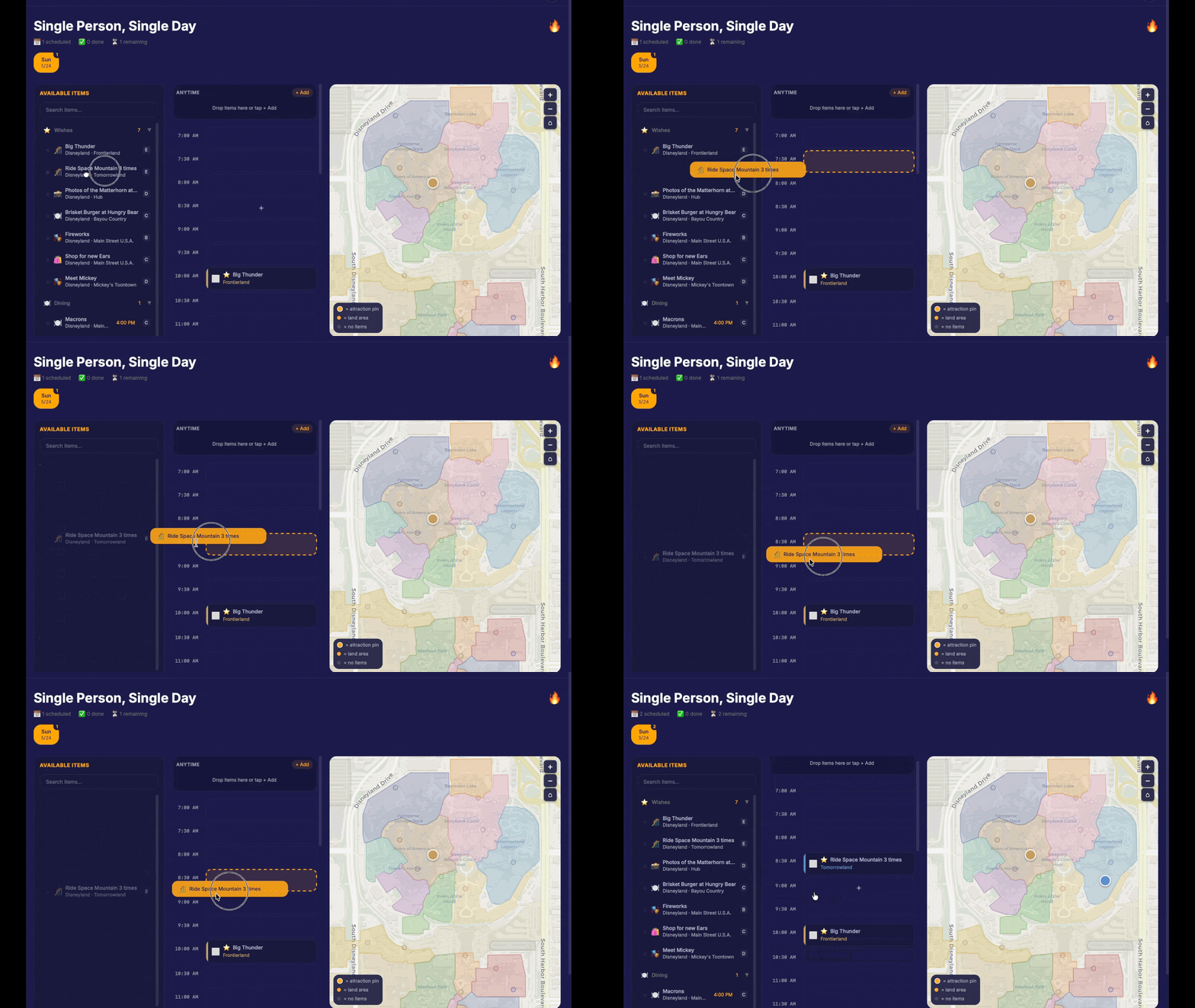
Dining reservations with a set time should be pinned first. Rides and shows can be arranged around them. Use the park map panel to check that your route makes geographic sense.
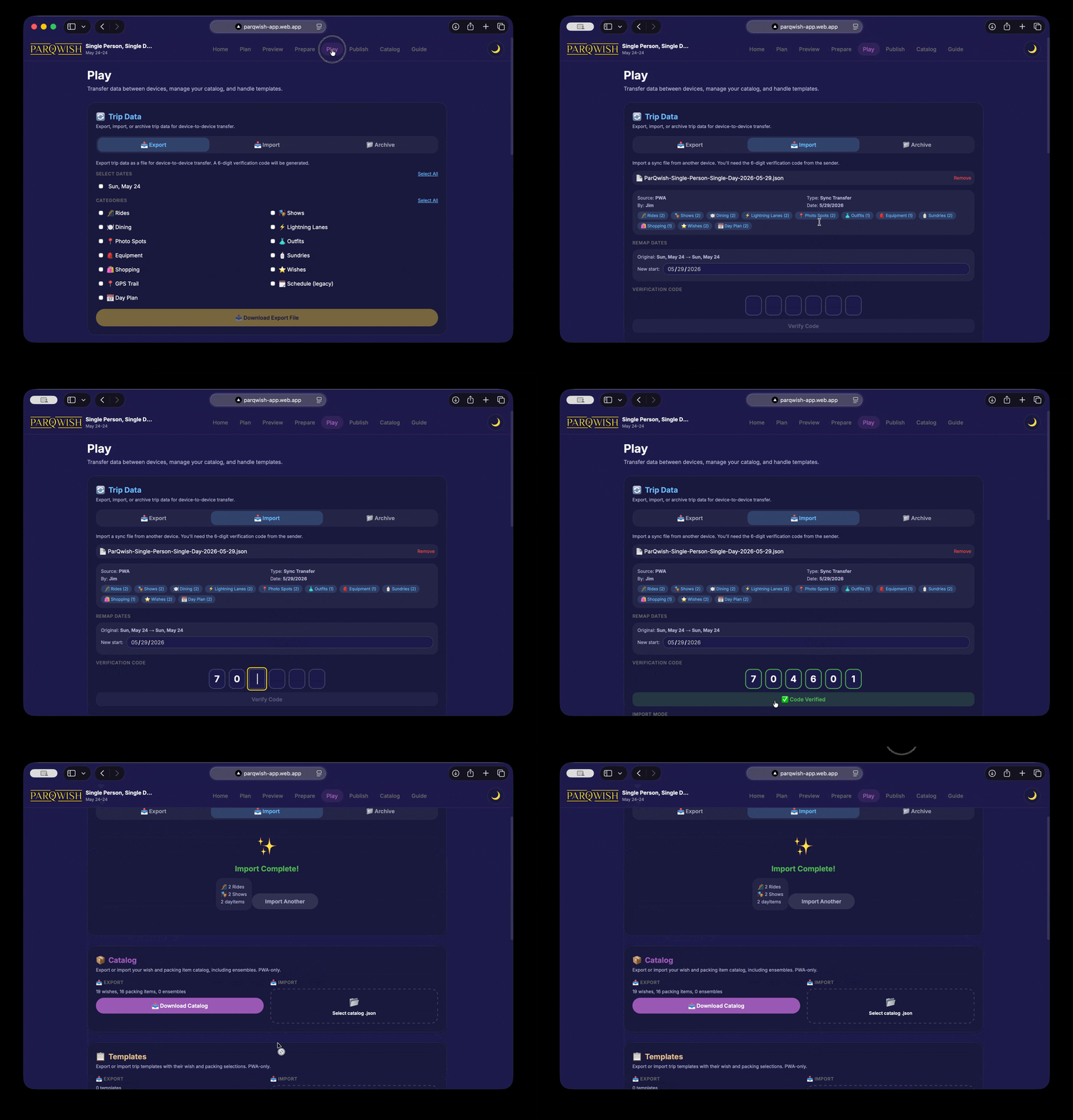
Export your plan as a sync file and transfer it to your phone.
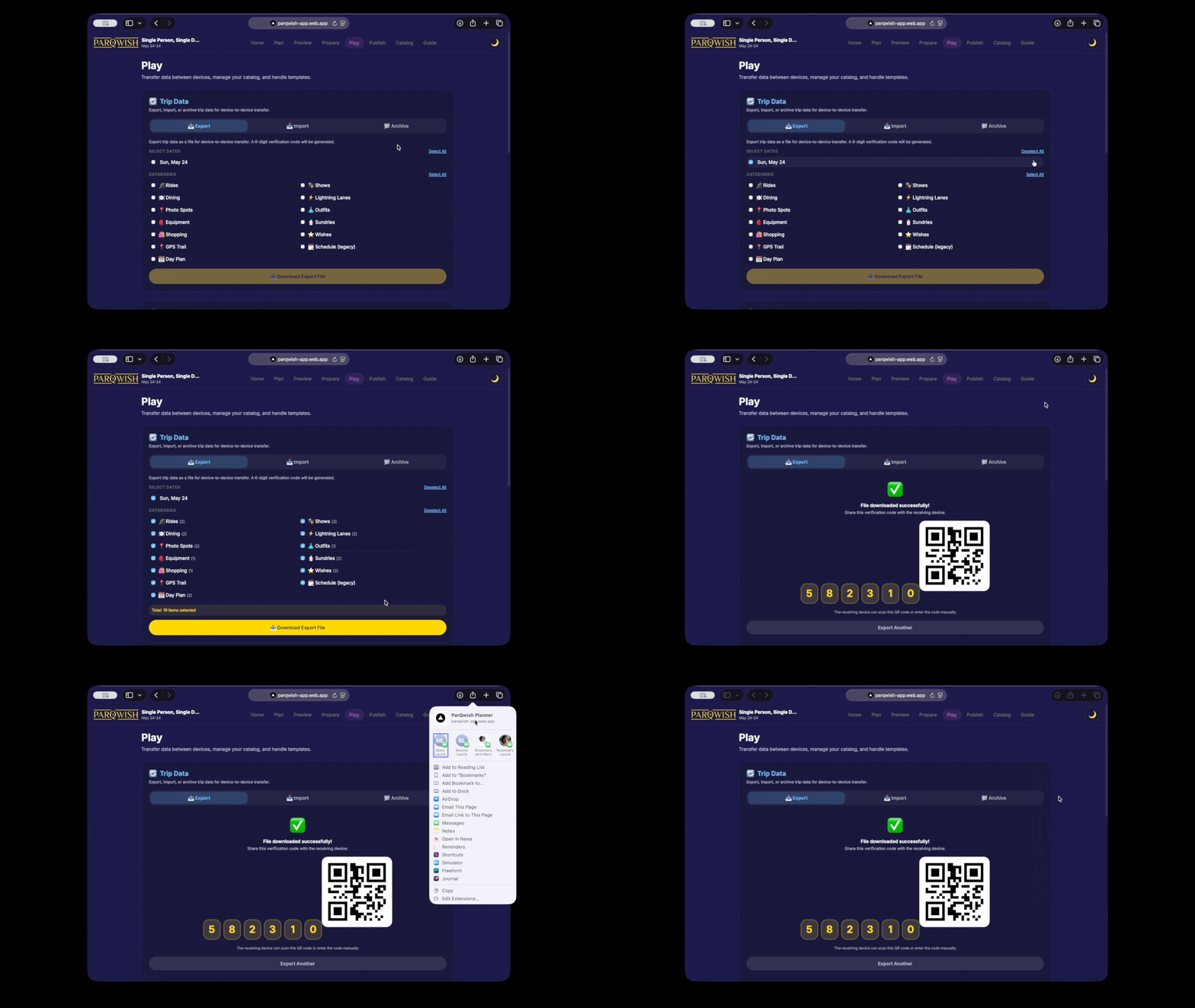
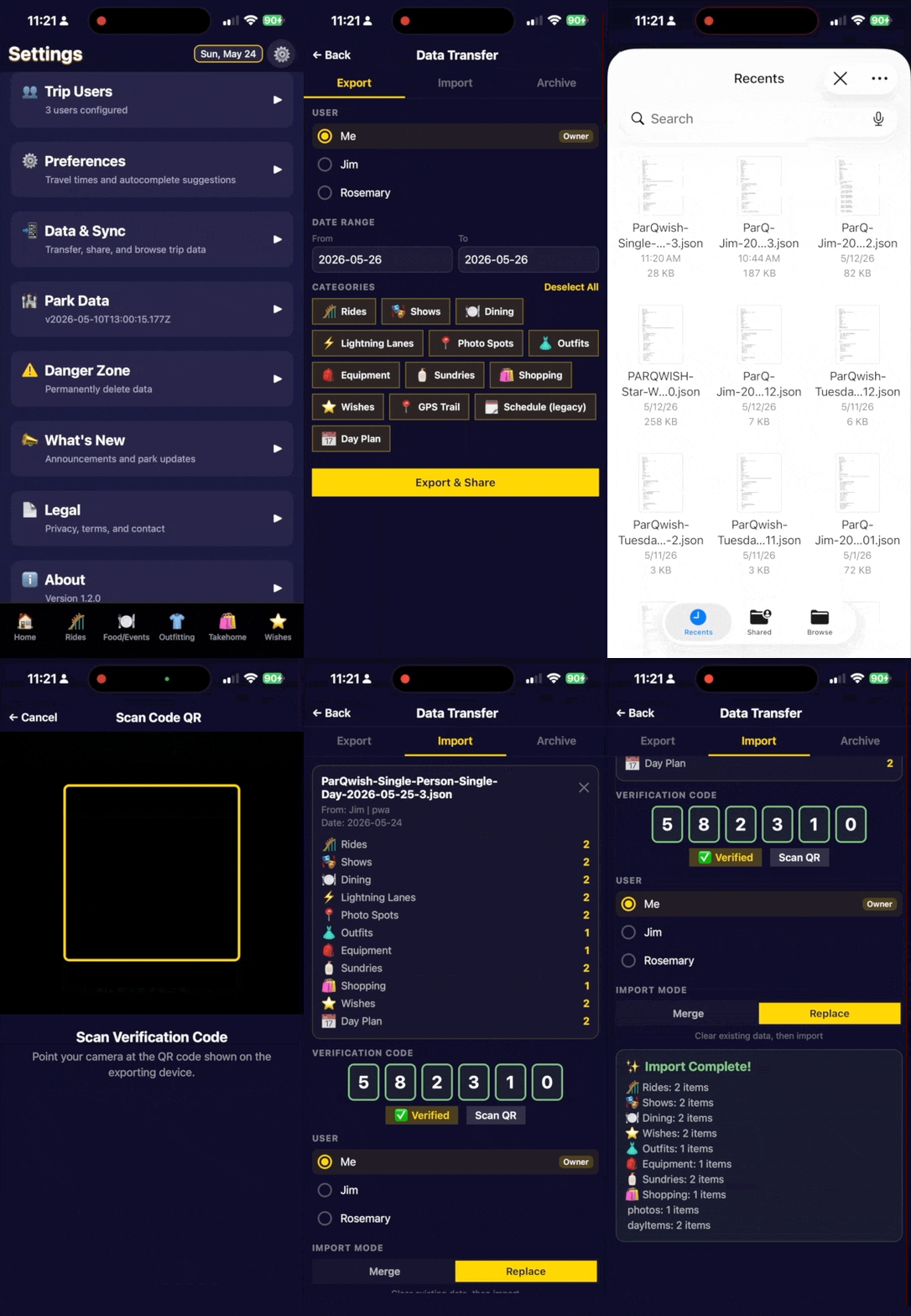
Tap Export, choose the categories you want (wishes, dining, packing), then share the file via AirDrop, email, or Files. A 6-digit verification code is shown — you'll enter this on your phone.
Import the sync file on your phone and enter the 6-digit code to verify.
Enable GPS trail recording before you enter the park.
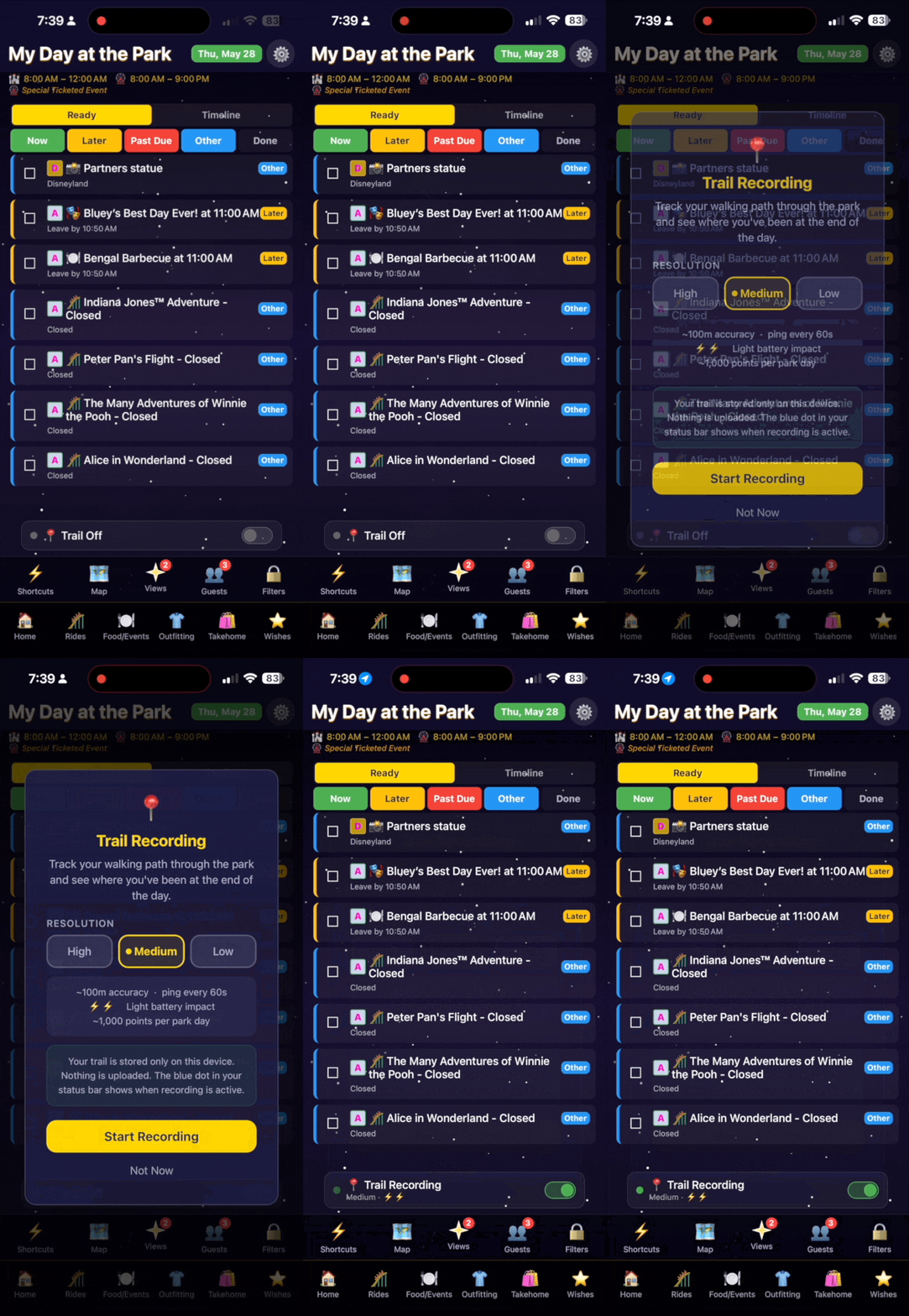
On the Home screen as the bottom of the list tap the Trail Off button . Choose Medium resolution for a good balance of battery life and accuracy. The trail runs in the background — you don't need to keep the app open.
Work through your day. Check live wait times, mark items complete as you go, and add photos.
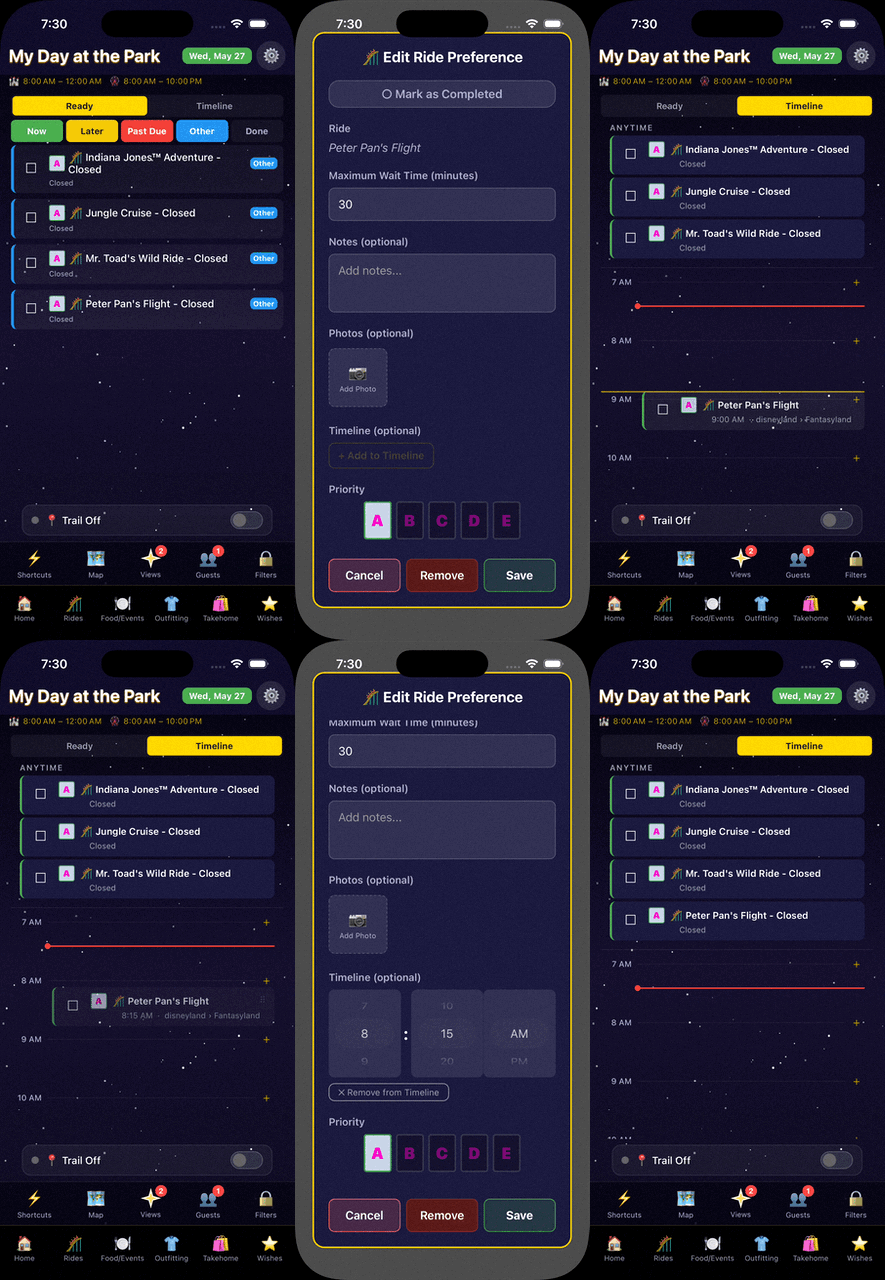
The Home screen shows your ready-now items (rides under your max wait) at the top. Switch to Timeline view to see your scheduled items on a time axis. Tap any item to mark it done or add a photo.
At the end of the day, export from your phone back to the PWA.
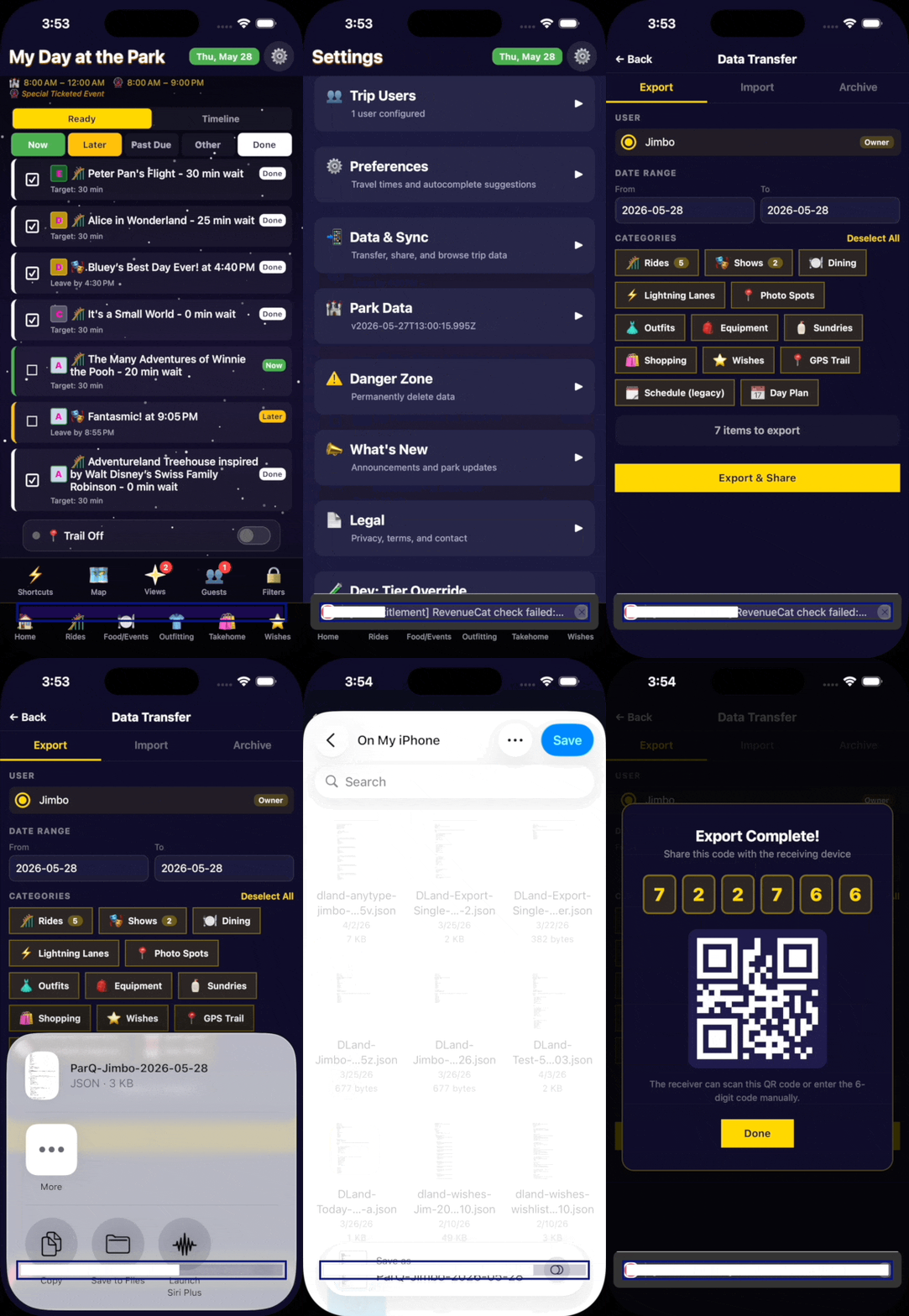
This captures everything you marked complete, all photos, and your GPS trail. Share the file back to your desktop via AirDrop or email.
Import the end-of-day file on your desktop.
View your trip recap — stats, photos, GPS trail, and completion breakdown — then export a PDF keepsake.
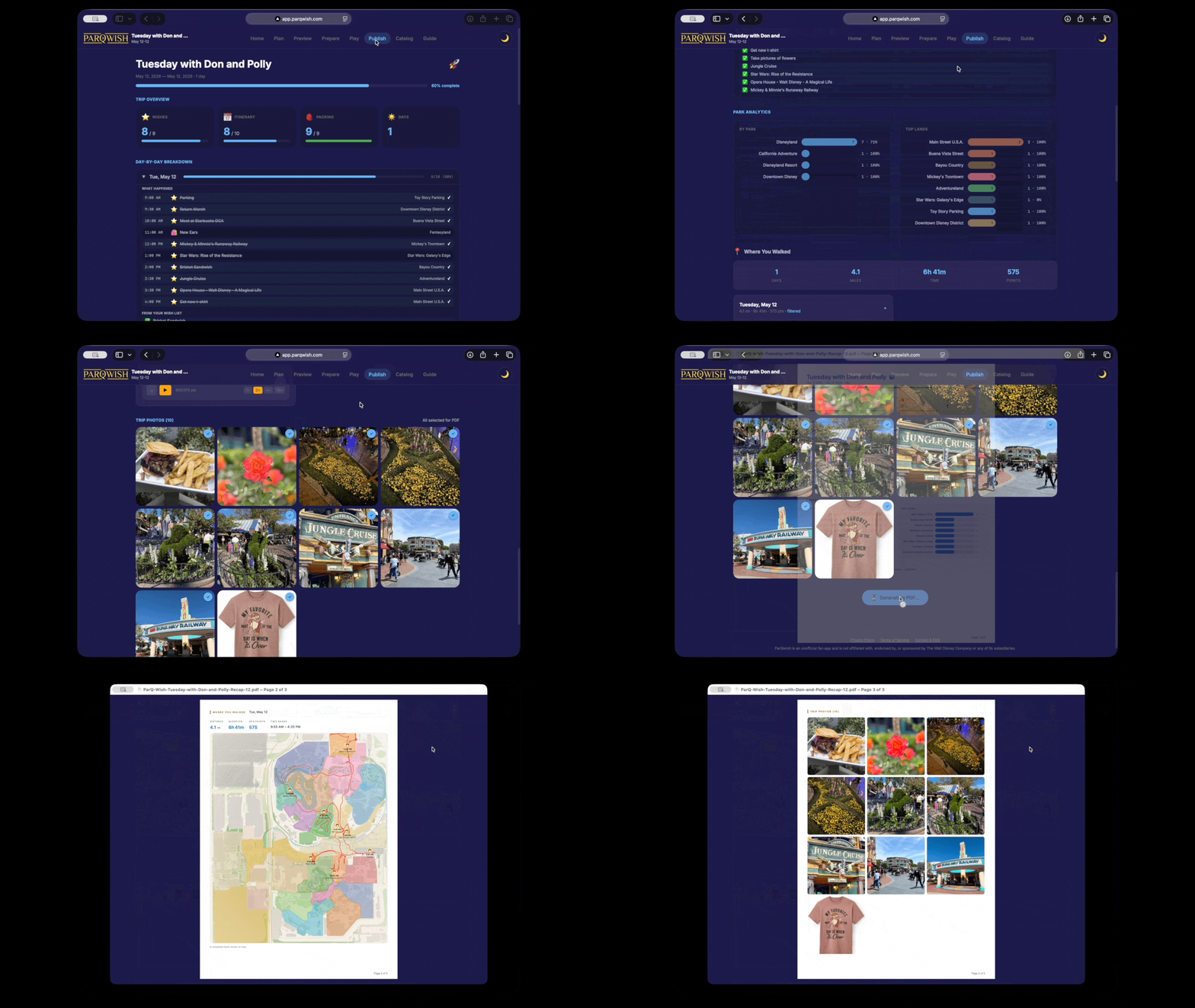
A fully documented single-day visit: every ride timed and checked off, photos attached, GPS trail recorded, and a PDF recap ready to share or print.